Manage multiple Kubernetes clusters with Argo CD 🐙
Day 2: Manage multiclusters and deploy applications ⚙️

⚓︎ You can refer back to the getting started post here
⬇️ The instruction guide for this lab is at the end of the article
With multiple Kubernetes clusters environment we need to manage these in a declarative way, GitOps seems to be a reasonable approach. In this post we will go through how to manage not only Kubernetes clusters but the applications across them.
Provision management cluster
⚓︎ Before continue to read this section I encourage you to refer back to the hands-on lab where I have provisioned the clusters on AWS here
Assume that we have successfully created clusters with one ephemeral local management cluster in KinD and one workload cluster on AWS cloud providers like below:
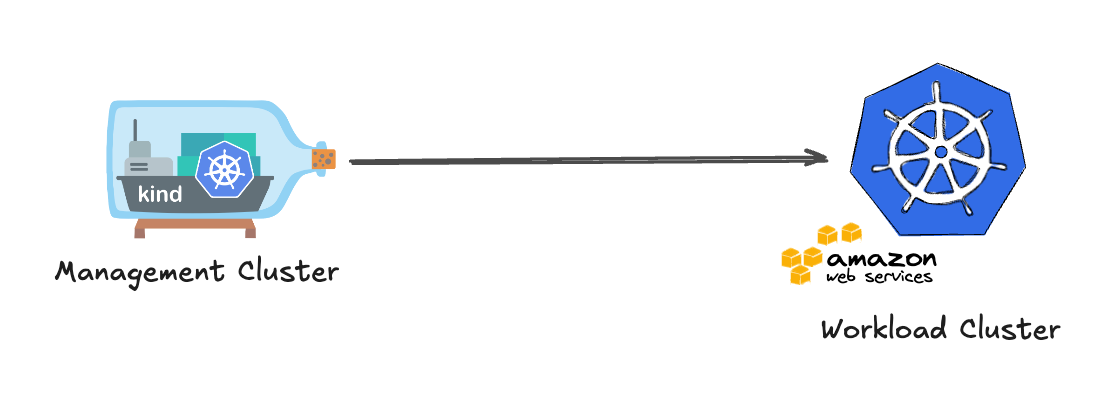
The local KinD management is not reliable and just fit with testing/local environment. Therefore, we will need to migrate the management cluster from local KinD to a more stable Kubernetes cluster. In order to simplify the access and networking (same credentials, network paths, and RBAC for day-2 operations) we will create a self-hosted cluster on AWS.
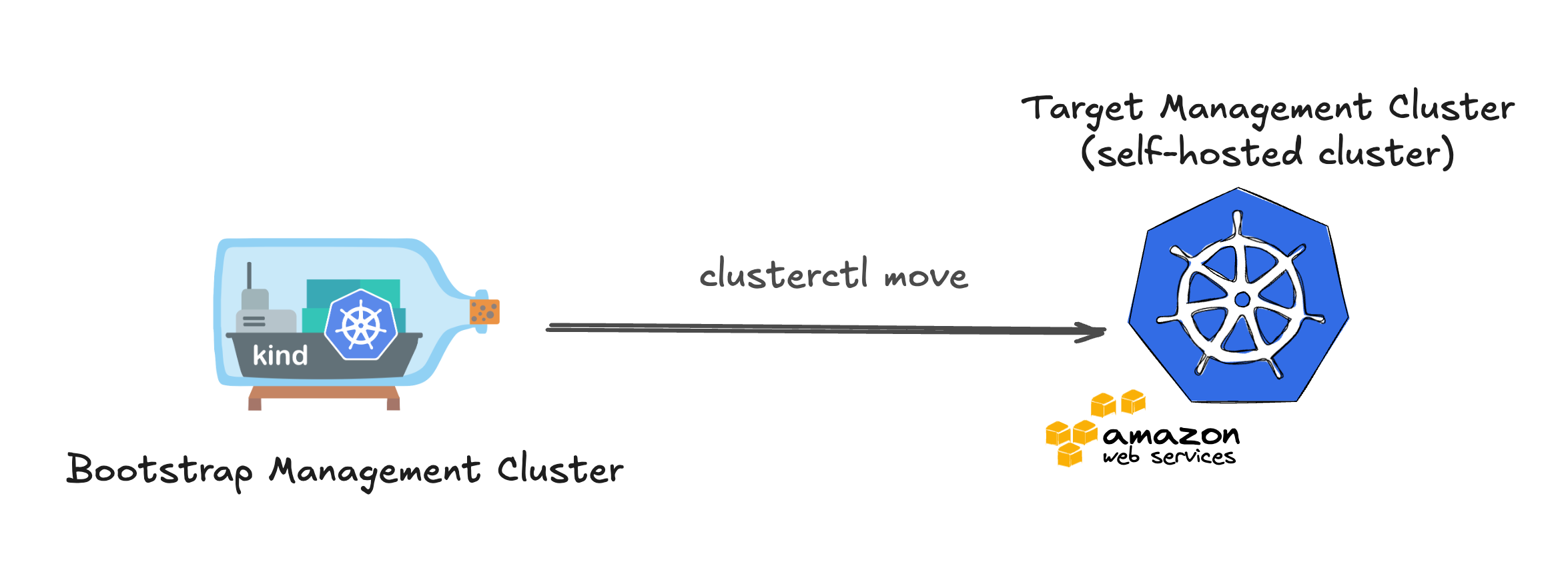
The self-hosted cluster can be interpret as a cluster where the CAPI management controllers run inside the same Kubernetes cluster they manage → Management cluster = workload cluster. To be more specific, the Cluster API controllers (core + infrastructure/control plane/bootstrap providers) run on the self-hosted cluster and reconcile that cluster’s own Machines, etc.
To create this self-hosted cluster we need to convert the current workload cluster on AWS into a self-hosted one using clusterctl move. The idea is to migrate the Cluster API objects defining workload clusters, like e.g. Cluster, Machines, MachineDeployments, etc. from the KinD management cluster to the target AWS management cluster.
To follow up the next steps of the article, you need to clone my following repo.
My labs repo: link
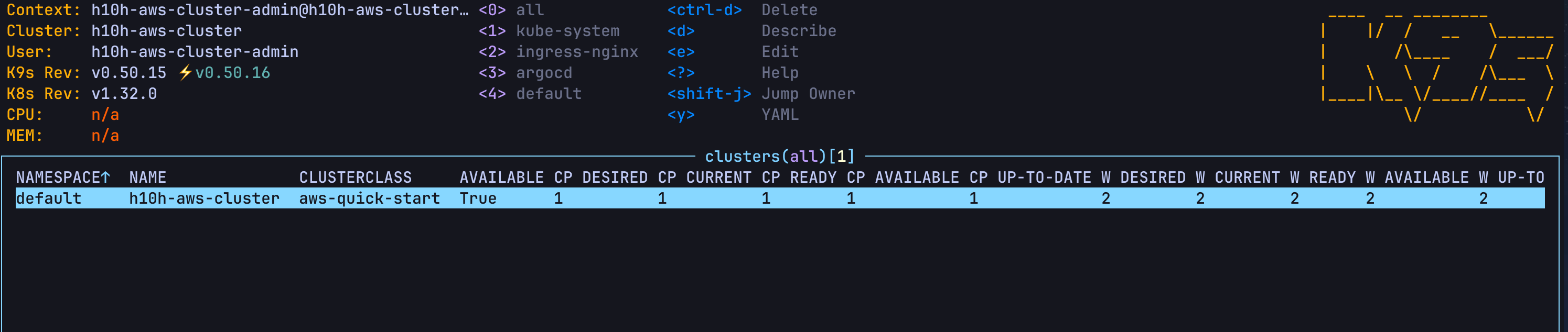
I have prepared this detailed guide of how to convert workload to self-hosted cluster, you can follow it and if your Kubernetes cluster on AWS can get the clusters itself it means that you have successfully provisioned a self-hosted cluster.
Guide on how to convert workload to self-hosted cluster: link
Use ArgoCD to manage clusters
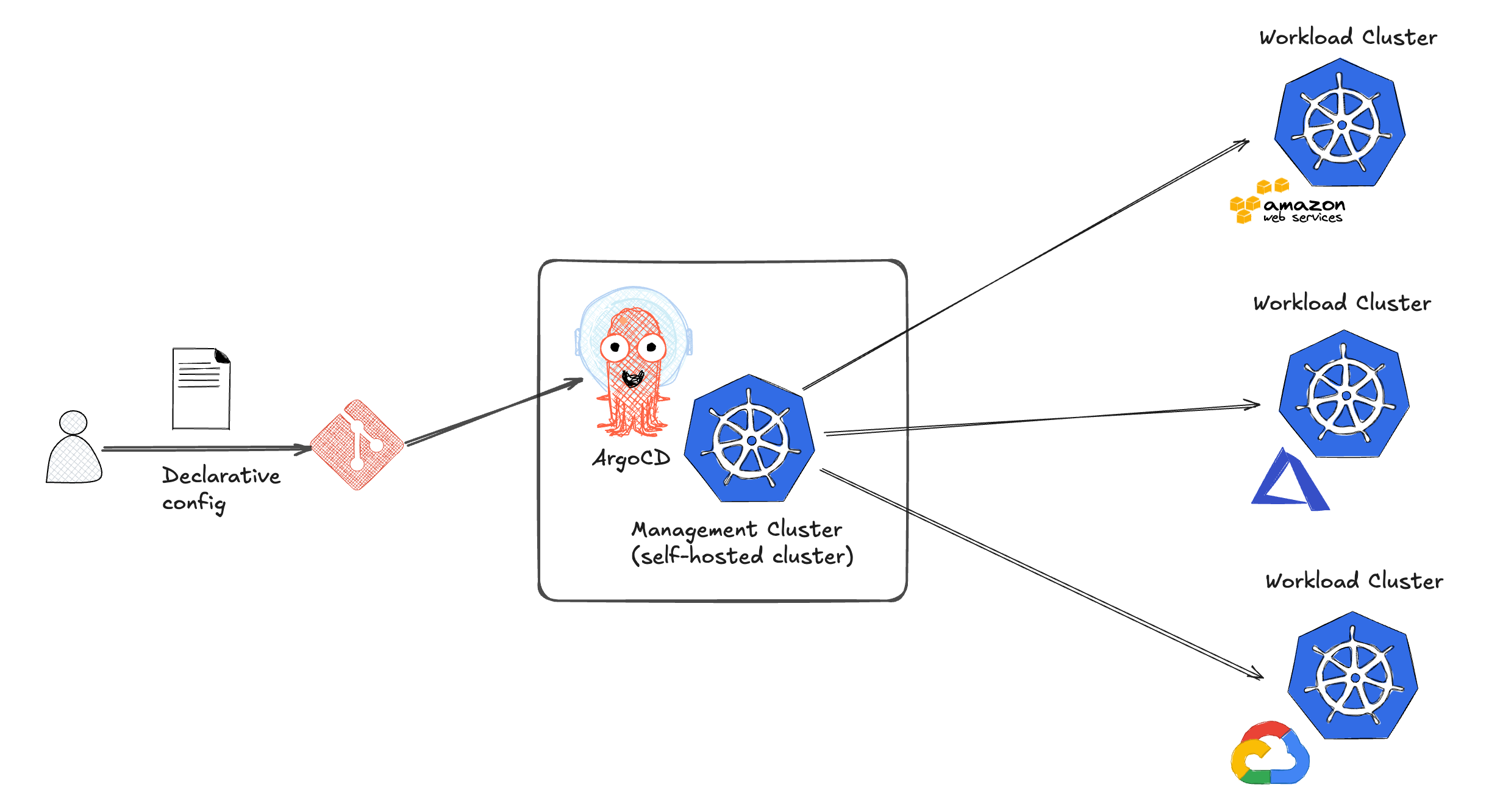
With a management cluster we will install ArgoCD on it so that we can use this GitOps platform to manage clusters in a declarative way.
Install ArgoCD on self-hosted cluster
Use the helm-init.sh script to install ArgoCD and Ingress NGINX Controller on self-hosted cluster. After the installation, get external IP of Ingress NGINX controller and add the EXTERNAL-IP as a CNAME record for argocd.<your-domain> in your DNS provider.
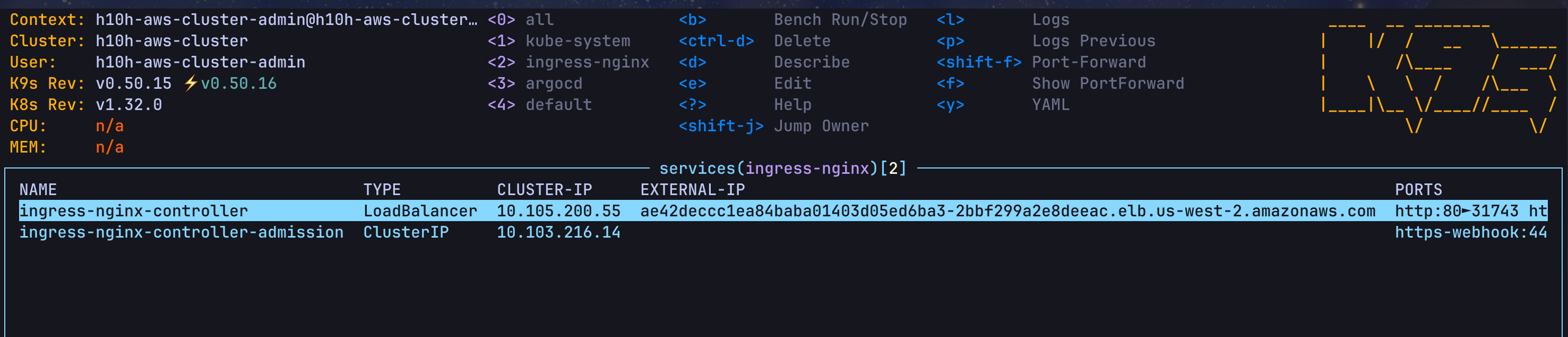

Create the ingress along with SSL/TLS certs to expose ArgoCD UI using these 2 files cluster-issuer.yaml and argocd-ingress.yaml
# Create Cert Manager Issuer
kubectl apply -f gitops/manifests/cert-manager/cluster-issuer.yaml
# Create Argo CD Ingress
kubectl apply -f gitops/manifests/argocd/argocd-ingress.yaml
Access Argo CD UI at https://argocd.<your-domain> (e.g: https://argocd.high10hunter.live) to verify it’s working. The default username is admin and password is 123456Abc#
Create new workload cluster using existing cloud infrastructure
We can apply the cluster manifest file to create a new cluster on AWS. However, this will provision a whole new VPC with costly service like NAT gateway. To resolve this, we can reuse existing AWS infrastructure (VPC, subnets, NAT Gateway, ...) to reduce the cost when creating new cluster. Refer to this BYOAI section of the document for more information.
We will reuse all network services (VPC, subnet, internet gateway, NAT gateway,…), the new workload cluster will only provision compute and load balancing resources (EC2, load balancers for API Server,…)
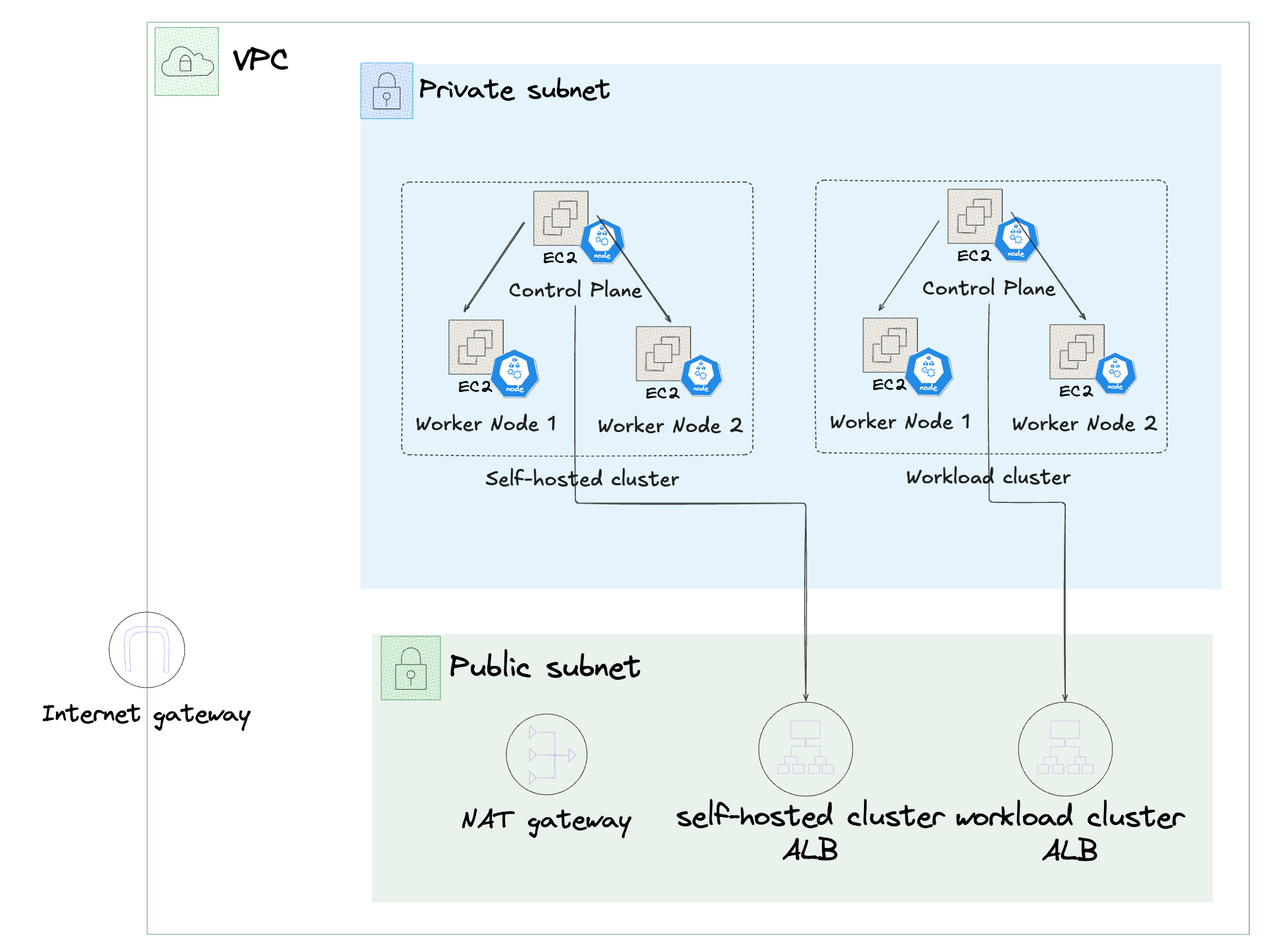
Retrieve the info of your current AWS infrastructure and modify the values of vpc, subnets, and other parameters in this capa-byoai.yaml file as per your existing setup.
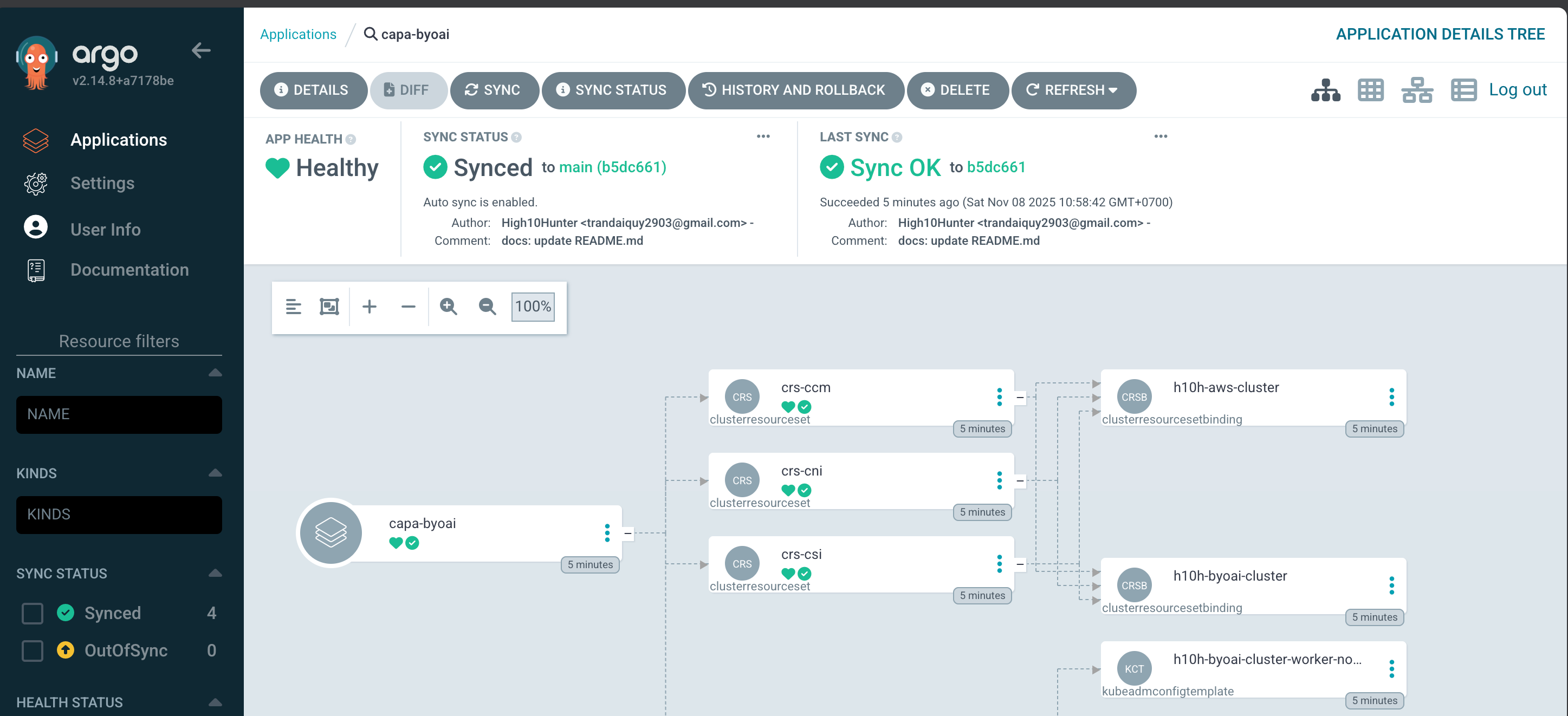
Apply this capa-byoai-app.yaml ArgoCD application manifest to create an application that manage the workload cluster on AWS. We need to make sure the configmaps of some platform addons (AWS CCM, EBS CSI, Calico,…) are existed before creating the cluster so that the ClusterResourceSet can claim them and process to install these addons on the workload cluster
# Apply the configmaps as platform addons so that the BYOAI workload cluster can use them with ClusterResourceSet
kubectl apply -f gitops/cluster-app/platform-addons.yaml
kubectl apply -f gitops/cluster-app/capa-byoai-app.yaml
For the first time apply the App Health of the workload cluster app will be at Degraded status, but don’t worry, after the reconcilation process the cluster application will become healthy
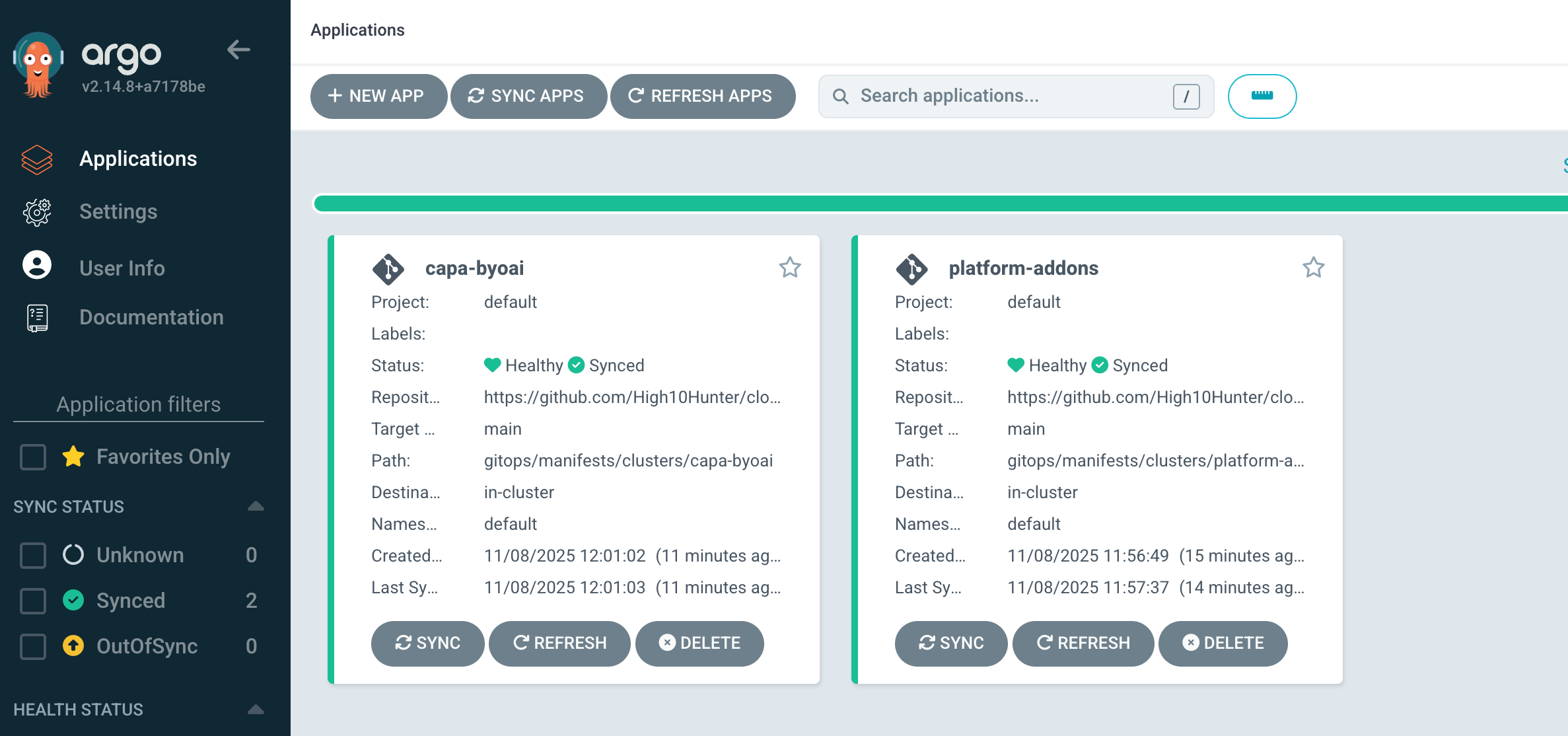
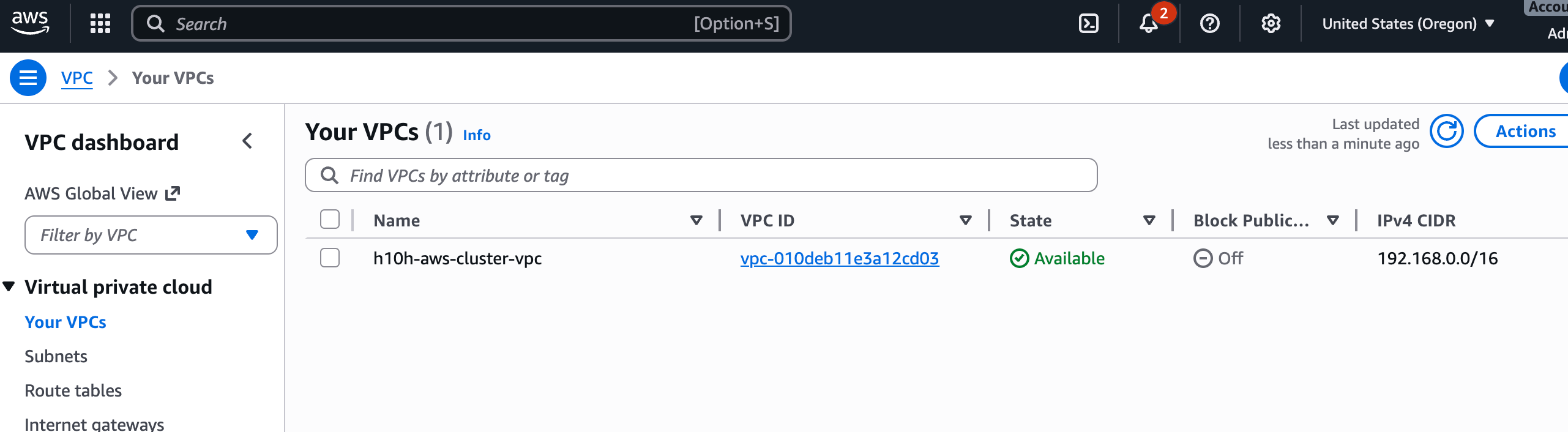
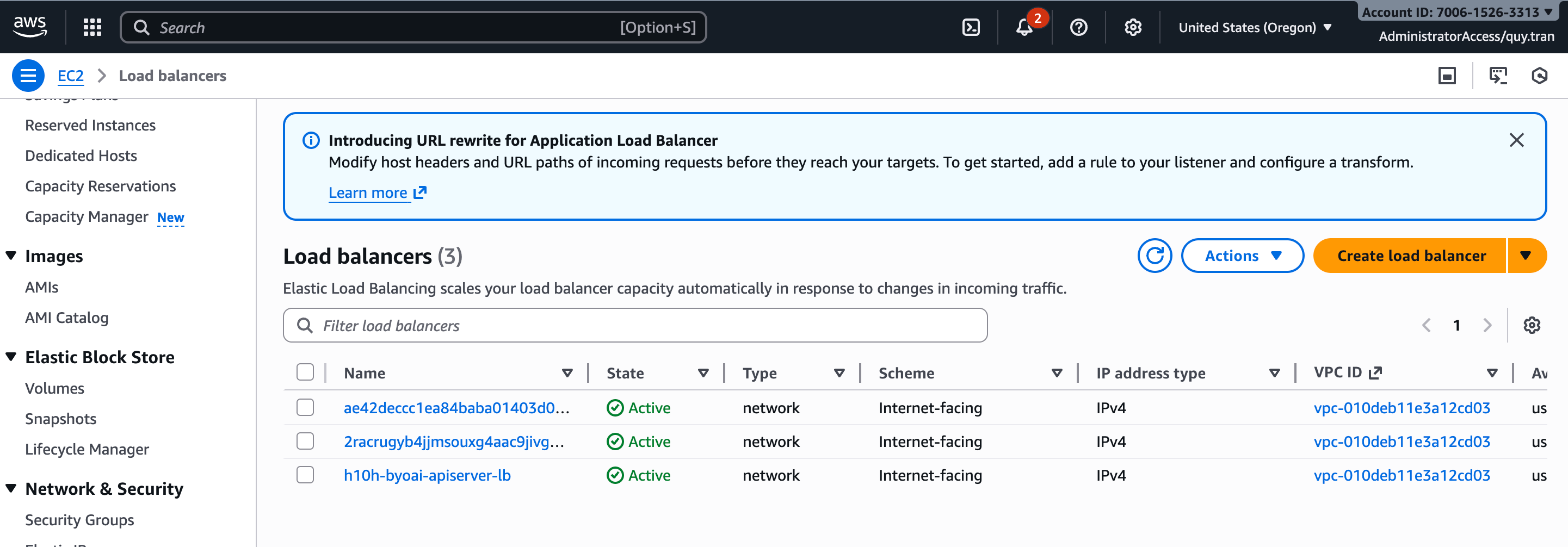
Go to AWS console to confirm that whether the newly-created workload cluster is reusing the current infrastructure or not. As you can see all the network-related services are still the same
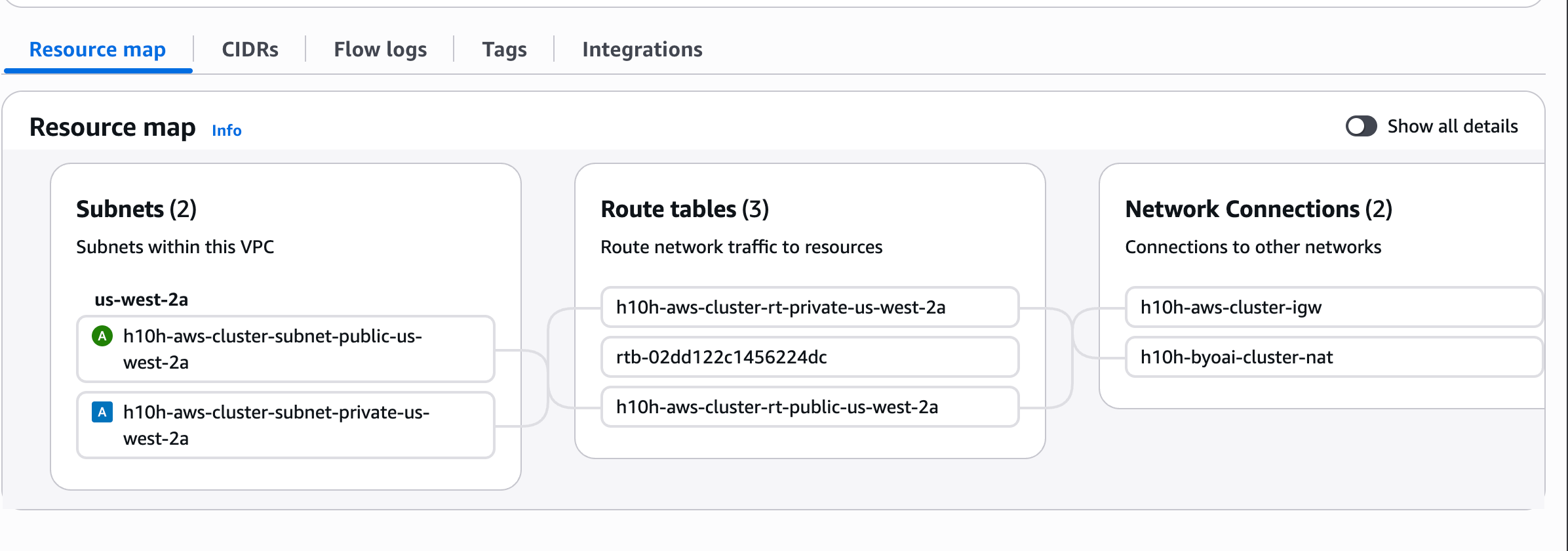
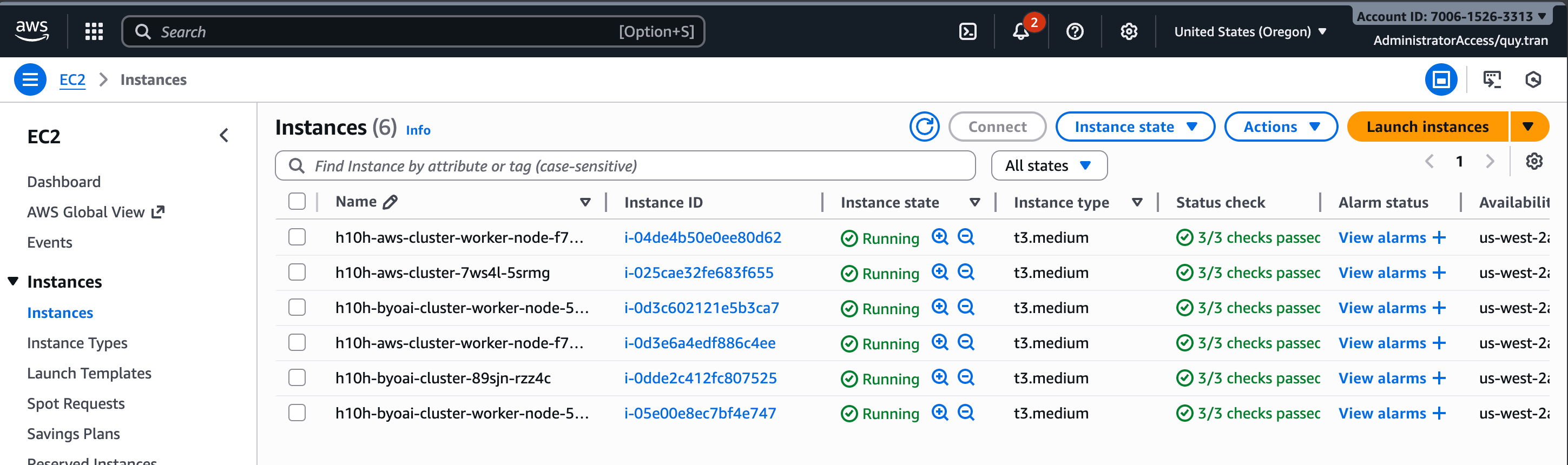
The new workload cluster create 3 more EC2 instances and 1 load balancer for API Server
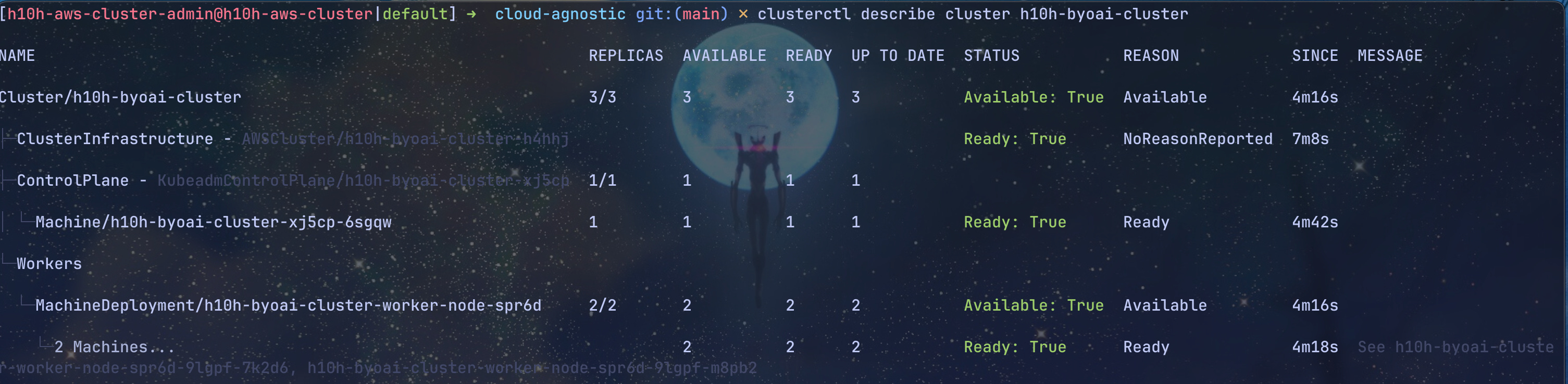
Check the status of the BYOAI workload cluster
clusterctl describe cluster h10h-byoai-cluster
Connect to the BYOAI workload cluster to check nodes status
clusterctl get kubeconfig h10h-byoai-cluster > ~/.kube/h10h-byoai-cluster.kubeconfig
kubie ctx h10h-byoai-cluster-admin@h10h-byoai-cluster
kubectl get no

Jump back to the self-hosted cluster to if this cluster can manage the newly-created workload cluster or not. We can see that the self-hosted cluster can manage it own and any other workload cluster.

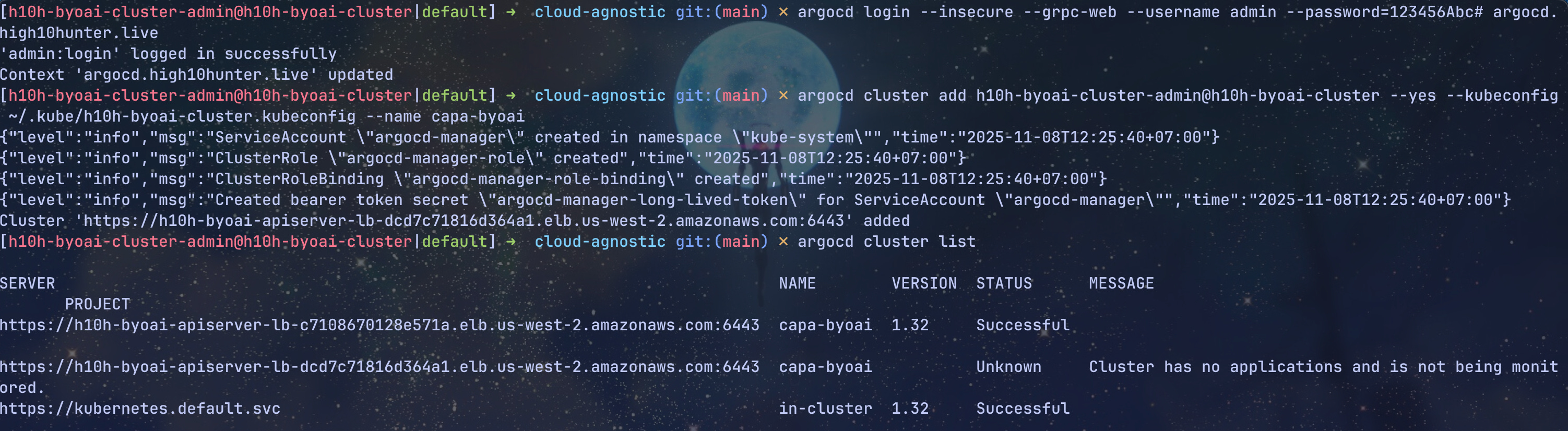
Now let’s deploy application across clusters using ArgoCD. First, we will need to add the workload cluster to Argo CD, I will use ArgoCD cli approach here for simplicity
# Authenticate Argo CD CLI
argocd login --insecure --grpc-web --username admin --password=123456Abc# argocd.high10hunter.live
# Add remote BYOAI workload cluster to Argo CD
argocd cluster add h10h-byoai-cluster-admin@h10h-byoai-cluster --yes --kubeconfig ~/.kube/h10h-byoai-cluster.kubeconfig --name capa-byoai
# List clusters managed by Argo CD
argocd cluster list
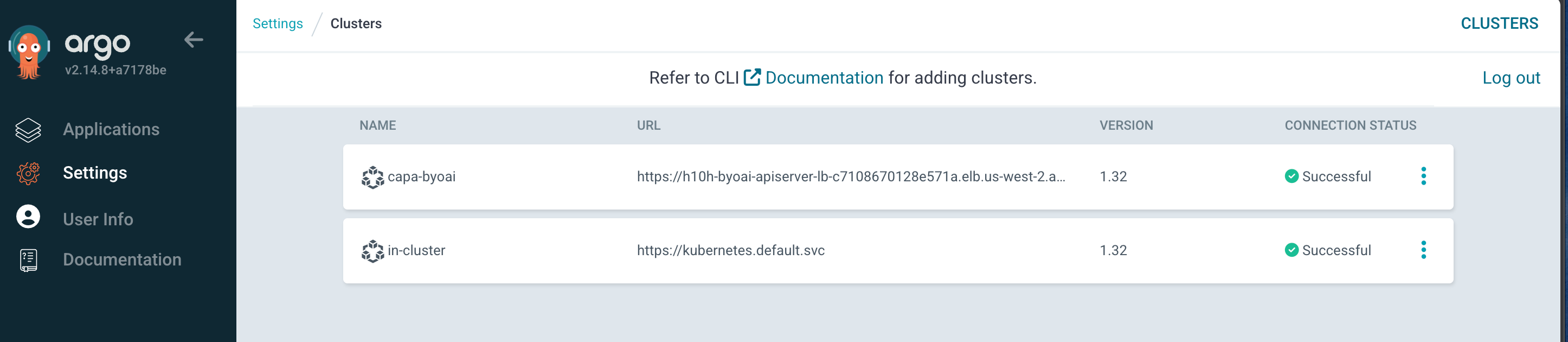
We can check the clusters on ArgoCD UI, it seems that the workload cluster (capa-byoai) has been added to ArgoCD successfully
With that let’s deploy applications to the workload cluster using Argo CD, here I will use a sample ApplicationSet to deploy multiple environments app on the remote workload cluster
# Use the self-hosted cluster context
kubie ctx h10h-aws-cluster-admin@h10h-aws-cluster
# Apply the workload cluster manifest using existing cloud infrastructure
kubectl apply -f gitops/sample-apps/appset.yaml
All three applications are deployed on remote workload cluster (capa-byoai)
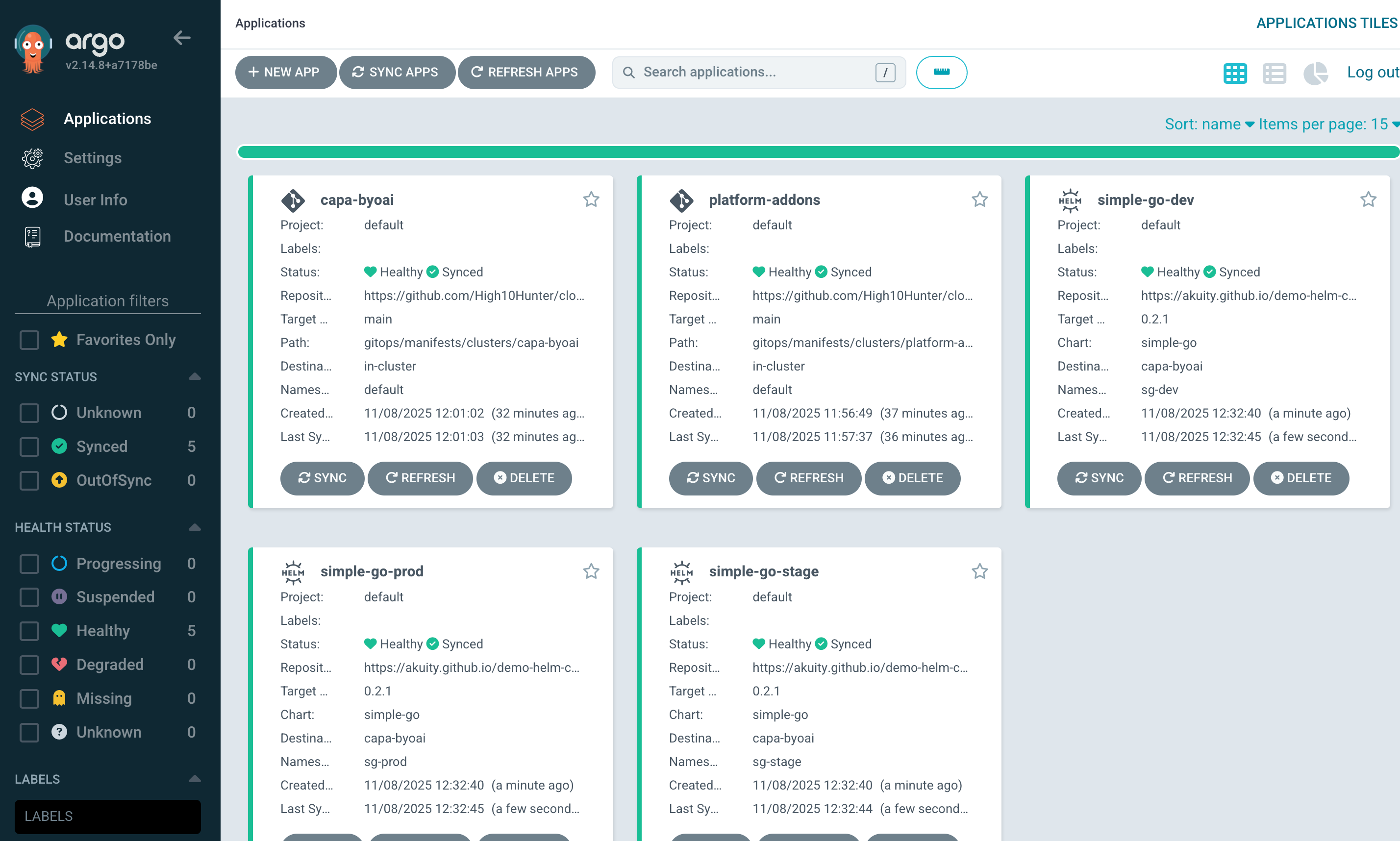
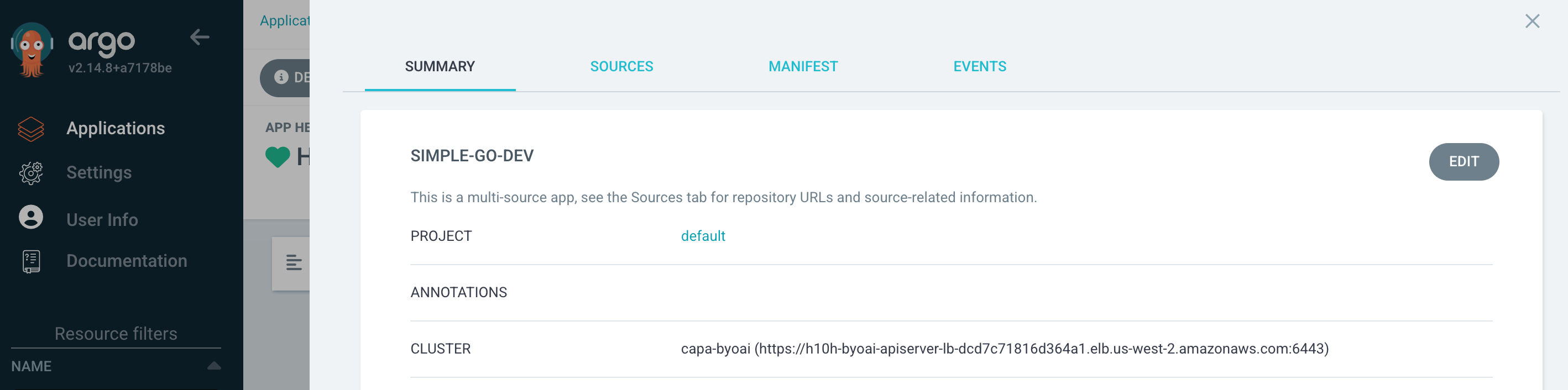
Voila 🥳 With the same approach we can manage multiple Kubernetes clusters and application across clusters in a declarative fashion thanks to ArgoCD. Hope you find something useful in this article.
You can refer to the instruction of this lab in my repo.