Bootstrap “cloud agnostic” Kubernetes clusters with Cluster API 🚀
Day 1: Bootstrap multiclusters 🆕

⚓︎ You can refer back to the getting started post here
We need a way to create k8s clusters on many cloud providers, in this journey I will prioritize 3 cloud providers (which I often work with the most): AWS, Azure and GCP along with the on-premise infrastructure. The point here is somehow we can create, operate and manage mulitple k8s clusters on different cloud providers. The multicluster approach here infer to the fact that we can also provision and manage multiple k8s clusters on one cloud provider (multicluster, multi-region cluster,…)
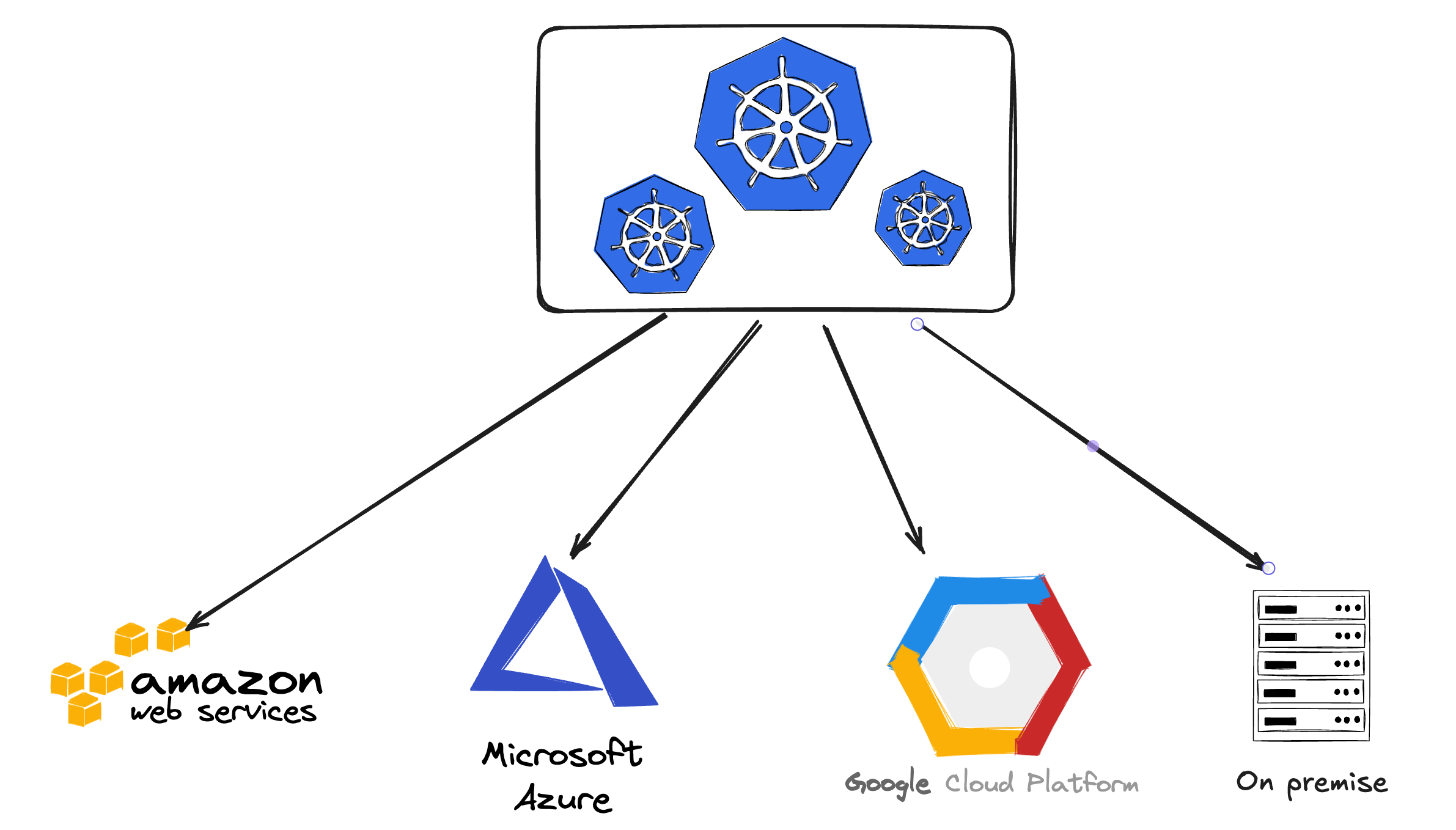
After doing some researches and experiments I’ve found the Cluster API project is quite suitable for my case. As the project has described itself: “Cluster API is a Kubernetes sub-project focused on providing declarative APIs and tooling to simplify provisioning, upgrading, and operating multiple Kubernetes clusters.”. The main idea of this project is to “use Kubernetes to manage Kubernetes”, what it means here is that Cluster API will offer the same declarative k8s-style APIs that Kubernetes itself uses to manage Deployments, Pods, StatefulSets,...
Cluster API has 2 things that I need: declarative APIs and the ability to provision and operating multiple k8s clusters with different providers.
For more details, you can check the project’s document page here.
The document itself is quite sufficient and providing detailed instruction for us to follow. However the documentation is not quite up-to-date with the api version of some providers, I will show you how to resolve this issue later. You can refer to the videos section in the document especially the Tutorial part. I highly recommend you to watch the kubectl Create Cluster: Production-ready Kubernetes with Cluster API 1.0 - October 2022 video and try out their lab repo to have hands-on experience and better understanding of how Cluster API work.
Cluster API concepts
The main idea of Cluster API is to use Kubernetest to manage Kubernetes, what it means here is that you can use the same declarative k8s-style APIs to manage other k8s clusters. Imagine that instead of running kubectl apply … to create and manage pods, deployments or services, now you can do the same to create a fully k8s cluster on a cloud provider or an on-prem infrastructure.
After understanding the main idea behind Cluster API we need to be familiar with Cluster API comcepts. Most of the main components of Cluster API are described in the Concept section in the document so in this article I will just describe some of the main concepts and terminologies that we need to understand in order to get started.
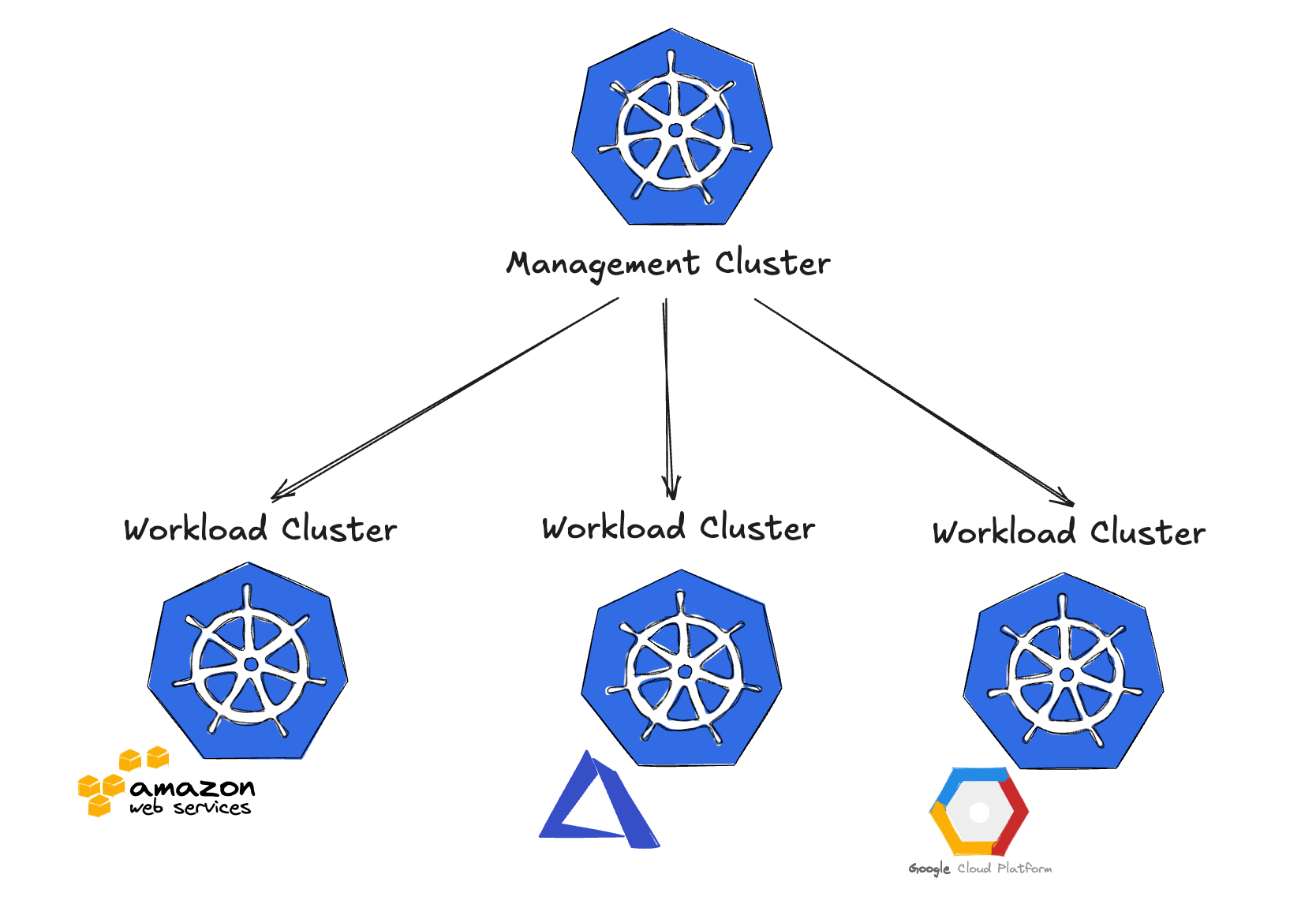
Management Cluster
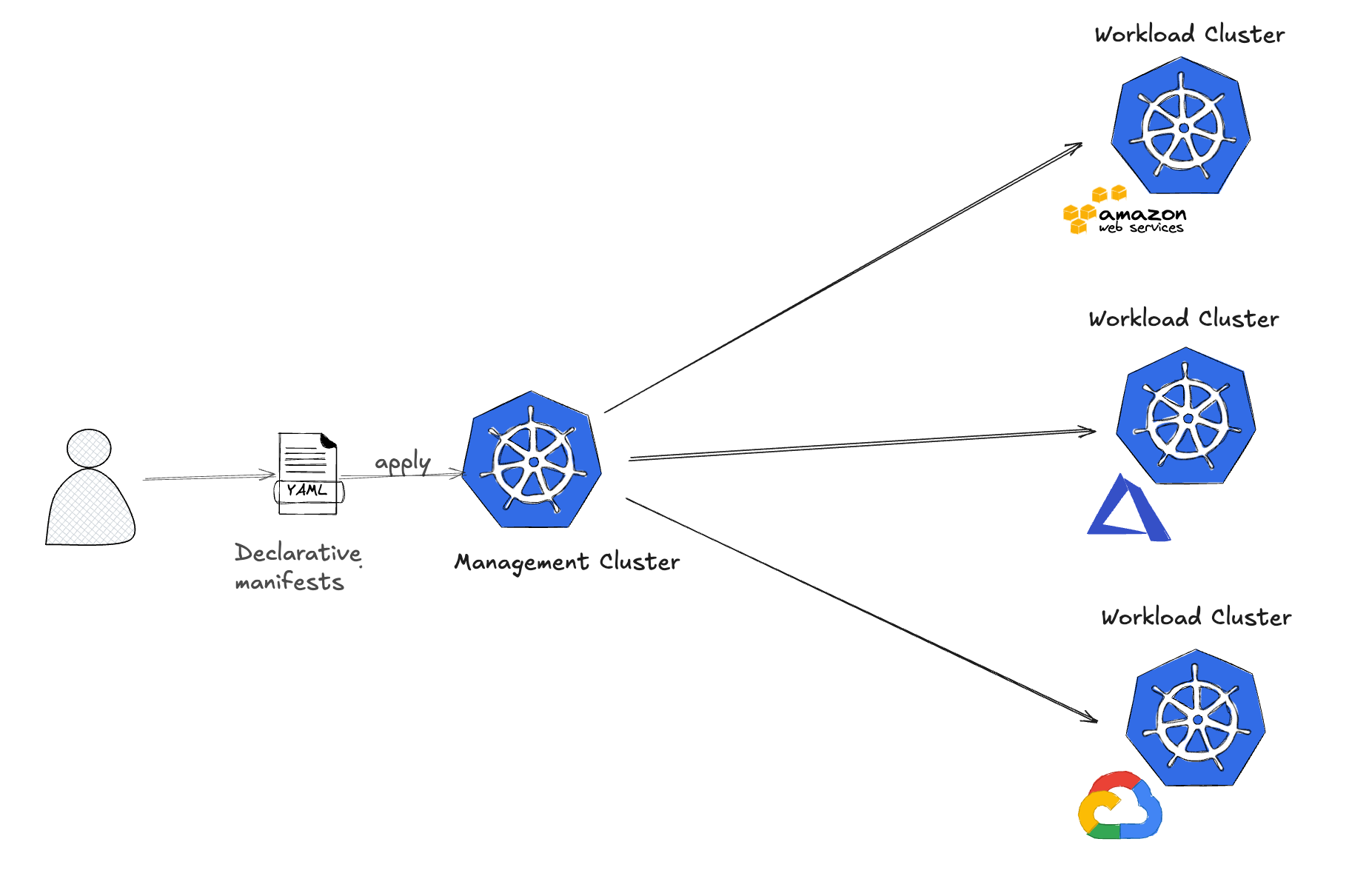
This is the cluster that has Cluster API components installed on it and this cluster will manage the lifecycle (creation, update, deletion,…) of Workload Cluster. From the Management Cluster we can use the installed components along with infrastructure providers (AWS, Azure, VMWare,…) and bootstrap provider to provision and manage the Workload Cluster on the respective provider.
The lifecycle management includes:
Creating new k8s cluster
Scaling up & down the number of nodes in the cluster
Upgrading k8s version for clusters
Operating the underlying infrastructure → Delete clusters including the underlying infrastructure
Workload Cluster
This is the cluster that is created and managed by the Cluster API components in the management cluster.
Infrastructure Providers
Cluster API use the provider to interact with underlying IaaS platforms (AWS, Azure, GCP,…) These providers will have the abbreviations like CAPA (for AWS), CAPZ (for Azure), CAPG (for GCP),…
Bootstrap Providers
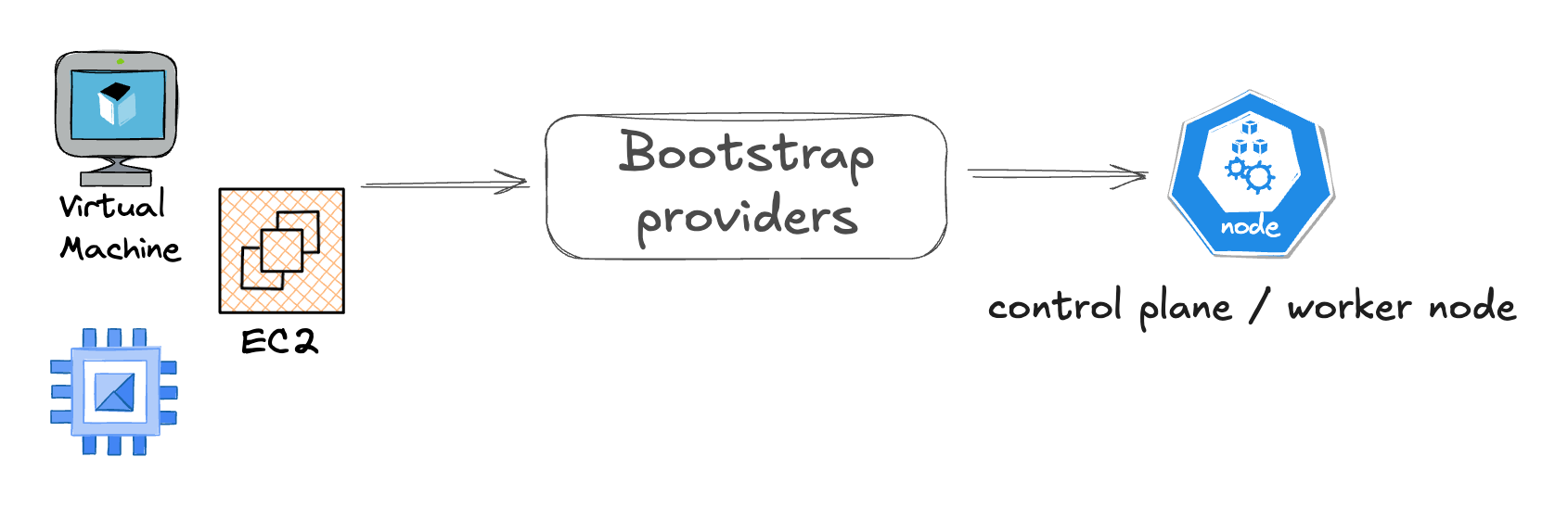
This provider is responsibility to generate scripts that can convert any machines (EC2, Azure VM, GCP Compute VM,…) into Kubernetes nodes (control plane or worker node
Control Plane Providers (KCP)
This provider will manage control plane nodes and deal with upgrading ETCD.
At its core Cluster API uses CRDs and controllers to extend Kubernetes to manage the Cluster lifecycle, so we can simplify the workflow to provision the k8s clusters using Cluster API like this: A developer will write the yaml manifests as the declarative configs based on Cluster API the apply it on the Management Cluster → reconcile loop will begin to actualize the desired state that defined in the yaml manifests on the target infrastructure.
Bootstrapping Management Cluster
In order to bootstrap k8s clusters on a specific cloud we need to have a Management Cluster and the respective infrastructure provider of the cloud the we’ve chosen. But how can we provision a Management Cluster? 🤔
Cluster API provide us the ability to “move” Cluster API resources from one cluster to another cluster which means that we can make a “normal” k8s cluster become a Management Cluster just by giving it the Cluster API resources from another Management Cluster, this new Management Cluster still has the ability to manage the lifecycle of the provisioned Workload Clusters. With this information we can create a self-hosted cluster which is a cluster that acts as both the management cluster and the workload cluster. A self-hosted cluster manages its own lifecycle.
So now we just need to create a new k8s cluster or more specifically a temporary bootstrap k8s cluster (using KinD or Minikube,…). Since Cluster API resources can be moved to another cluster we can make bootstrao k8s cluster a Management Cluster then provision a target Management Cluster then move the Cluster API resources from the bootstrap cluster to the target management cluster. We can delete the bootstrap Management Cluster later. This pattern is also mentioned in clusterctl move section of the documentation.
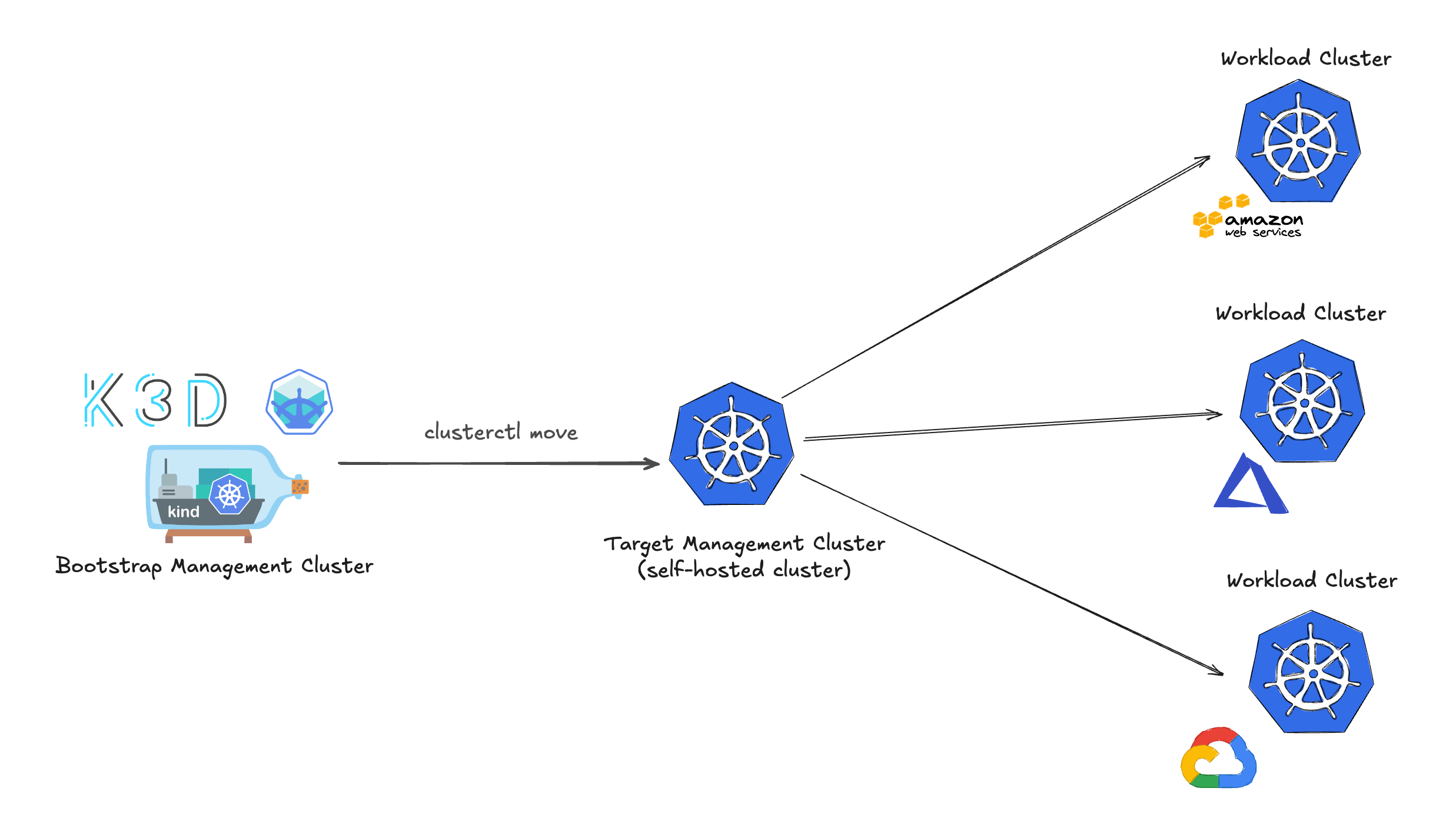
With the Management Cluster we can create and manage lifecycle of Workload Clusters on multiple cloud providers. Ok, so now we have understand the tool and its concept let’s get our hands dirty with a hands-on lab.
🛠️ Hands-on lab: [Hands-on] Provision Kubernetes cluster on AWS with Cluster API